
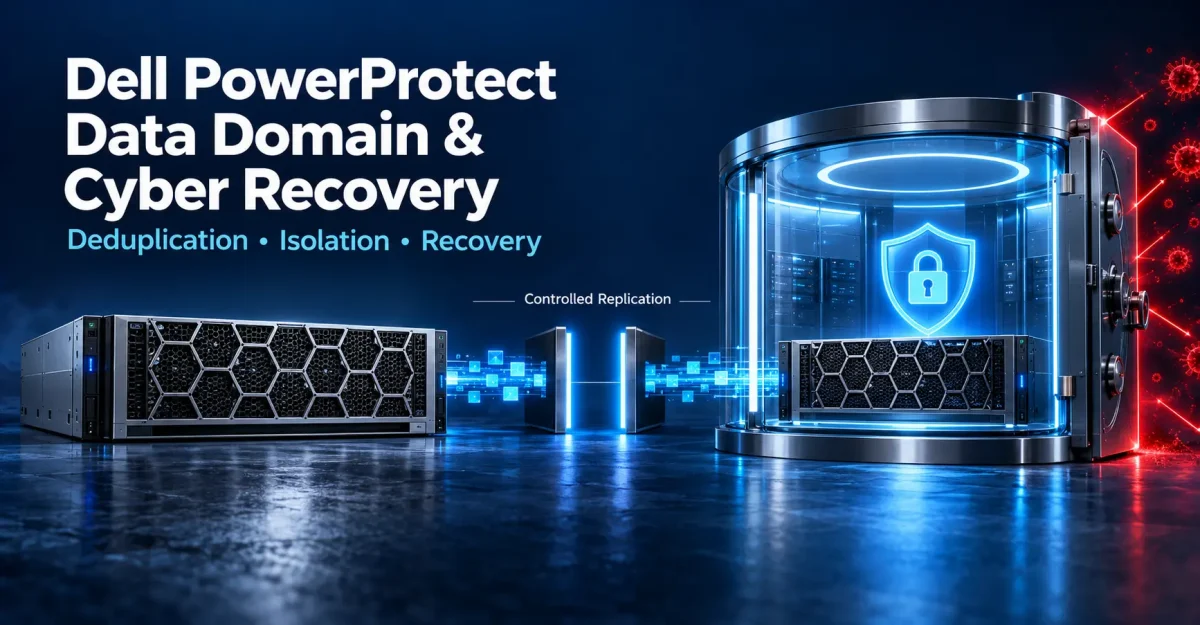
Dell PowerProtect Data Domain and Cyber Recovery work together to protect backup data from operational failures and destructive cyberattacks. Data Domain provides deduplicated backup storage and replication, while Cyber Recovery manages isolated recovery copies in a separate vault.
For Dell certification candidates, the key is understanding how these components work together: backup software creates protected data, Data Domain stores and replicates it efficiently, and Cyber Recovery manages recovery copies inside an isolated environment.
This article explains the architecture, deduplication process, air-gap operation, ransomware detection capabilities, and recovery workflow using exam-oriented examples.
Version note: Features, supported integrations, and recovery procedures vary by DD OS version, Cyber Recovery release, appliance model, and deployment. Check the current Dell documentation and exam description for your specific certification.
What Are Data Domain and Cyber Recovery?
Dell PowerProtect Data Domain is a data protection storage platform designed for backup, archiving, and disaster recovery workloads. It uses inline deduplication to reduce redundant data before it is written to storage.
Dell PowerProtect Cyber Recovery adds a separate recovery environment called a Cyber Recovery vault. The vault receives selected data from a production Data Domain system and maintains recovery copies under separate security controls.
A typical design contains:
- Production applications and backup software
- A production Data Domain system
- A controlled replication connection
- A vault Data Domain system
- Cyber Recovery management software
- Optional CyberSense analytics
- A sandbox or other recovery infrastructure
The objective is to retain recovery copies that remain available even if an attacker compromises production systems, backup administrators, or parts of the production backup infrastructure.
Architecture at a glance
| Stage | Component | Primary function |
|---|---|---|
| 1 | Production workloads | Generate the application and business data to protect |
| 2 | Backup software | Creates backups and manages restore metadata |
| 3 | Production Data Domain | Stores backup data using deduplication |
| 4 | Controlled replication | Transfers selected data into the Cyber Recovery vault |
| 5 | Vault Data Domain | Stores replicated data and protected recovery copies |
| 6 | Analysis and recovery | Helps teams investigate copies and restore workloads |
Cyber Recovery software orchestrates the vault workflow. An optional CyberSense deployment analyzes supported copies for suspicious changes.
Exam focus: Data Domain and Cyber Recovery have different roles. Data Domain provides storage, deduplication, and replication. Cyber Recovery orchestrates vault operations and recovery-copy management.
Data Domain Core Architecture
A Data Domain system runs DD OS, an operating system designed for data protection storage. Its architecture focuses on backup ingestion, deduplication, and recovery, whereas Dell PowerStore architecture addresses primary storage workloads and their performance and availability requirements.
Depending on the configuration, these can include:
- DD Boost
- NFS
- SMB/CIFS
- Virtual tape library, where supported
The backup application controls its backup jobs and catalog, while Data Domain stores the protected data.
How does data enter a Data Domain system?
A typical backup workflow follows these steps:
- A backup application reads data from a protected workload.
- The application sends backup data to Data Domain through a supported protocol.
- Data Domain identifies duplicate and unique segments.
- Unique segments are stored, and metadata references them.
- The backup application records information needed to locate and restore the backup.
The exact processing location depends on the integration. With a supported DD Boost integration, some deduplication work can be distributed to the application side.
What is an MTree?
An MTree is a logical partition within the Data Domain file system. It helps organize protected data and provides a management boundary for capabilities such as replication and Retention Lock.
For example, an organization might use separate MTrees for different backup applications or data protection policies. Cyber Recovery can use MTree replication to transfer selected backup data from production to the Cyber Recovery vault.
An MTree is a logical structure; it is not a separate physical disk array.
What is DD Boost?
DD Boost is an integration technology that allows supported backup applications to communicate more efficiently with Data Domain.
A notable feature is distributed segment processing. An application-side component works with Data Domain to identify data that does not need to be transmitted again. This can reduce network traffic and distribute some processing across the backup infrastructure.
DD Boost does not replace the backup application. The application still manages backups and restores.
Exam focus: When a scenario asks how to reduce backup network traffic between a supported backup application and Data Domain, DD Boost distributed segment processing is a relevant capability.
What role does data integrity play?
A deduplicated backup is useful only if the data can be reconstructed correctly. Data Domain uses its data protection architecture to maintain the integrity of stored data and support reliable recovery.
Distinguish data integrity from cyberattack detection:
- Integrity mechanisms help protect against storage-related data corruption.
- CyberSense analyzes supported backup data for suspicious changes.
- Recovery testing confirms whether the selected workload can be restored and used.
Deduplication Technology Explained
Deduplication reduces storage consumption by identifying repeated data and avoiding unnecessary storage of additional copies of the same segments.
Data Domain performs inline deduplication. This means it processes incoming data during ingestion rather than first storing the complete backup and deduplicating it later.
How does Data Domain deduplication work?
At a conceptual level, the process follows these steps:
- Incoming backup data is divided into segments.
- The system calculates a fingerprint for each segment.
- Fingerprints are compared with information about segments already stored.
- Duplicate segments are referenced rather than stored again.
- New segments are stored, and metadata records how the backup can be reconstructed.
When a restore is requested, Data Domain uses its metadata and stored segments to present the requested backup data.
Why use variable-length segments?
Data Domain uses variable-length segmentation to help identify duplicate data even when changes shift the position of content inside a file.
Consider a database backup where a small amount of data is inserted near the beginning of a file. With fixed-size blocks, that insertion can shift the boundaries of many later blocks. Variable-length segmentation can help the system recognize unchanged content despite such shifts.
Deduplication results still depend on the data, change rate, backup format, encryption, compression, and other workload characteristics. These considerations also help explain why storage platforms serve different purposes, as illustrated by the PowerStore vs PowerMax vs PowerScale comparison.
What is SISL?
Stream-Informed Segment Layout (SISL) is a Data Domain architecture designed to improve deduplication efficiency at scale.
It uses information about data streams and in-memory structures to reduce the disk access needed to identify and process segments. One component is the summary vector, which helps identify segments that are new to the system.
Exam focus: SISL supports efficient, scalable deduplication. It is not a separate Cyber Recovery vault or a ransomware detection engine.
Deduplication example
Suppose an organization backs up a 10 TB dataset every week. Between backups, much of the data remains unchanged.
With deduplication, Data Domain can reference previously stored duplicate segments and store new unique segments. The additional physical capacity needed for the next backup may therefore be substantially lower than 10 TB, depending on the workload.
Do not assume a fixed reduction ratio in an exam scenario unless the question provides one.
Deduplication vs compression
| Feature | Main purpose | Example |
|---|---|---|
| Deduplication | Avoids storing repeated segments multiple times | Reuses an unchanged segment across backups |
| Compression | Reduces the size of data through encoding | Compresses a unique stored segment |
| Replication | Transfers protected data to another system | Sends data to a vault Data Domain system |
| Retention Lock | Protects files during a retention period | Prevents early deletion of a locked recovery copy |
Exam tip: Deduplication improves storage and transfer efficiency. It does not automatically make a backup immutable, isolated, or free from malware.
Cyber Recovery Vault Concept
A Cyber Recovery vault is a separately controlled environment containing protected recovery data and the infrastructure needed to manage, analyze, or recover it.
In an on-premises architecture, the vault typically contains a dedicated network and at least one Data Domain system. The production Data Domain system replicates selected data to the vault through a controlled connection. Cyber Recovery software coordinates replication and copy management.
Main Cyber Recovery vault components
| Component | Primary role |
|---|---|
| Production Data Domain | Stores production backup data and acts as a replication source |
| Vault Data Domain | Receives replicated data and stores recovery copies |
| Cyber Recovery software | Orchestrates policies, replication, copy protection, and recovery workflows |
| CyberSense, if deployed | Analyzes supported copies for suspicious changes |
| Recovery infrastructure | Supports investigation, recovery testing, and restoration |
| Vault network and management controls | Restrict access and separate vault operations from production |
A successful vault design also considers backup catalogs, application dependencies, credentials, DNS, encryption keys, and other components needed to restore a workload. In virtualized environments, understanding Dell VxRail architecture and integration can also help teams plan the infrastructure required for workload recovery.
For example, storing backup data without its required catalog or recovery configuration may complicate recovery after a major incident.
What are Cyber Recovery policies?
A Cyber Recovery policy brings together resources and actions such as:
- A production-to-vault replication context
- A schedule
- Synchronization
- Creation of point-in-time copies
- Copy protection or locking
- Analysis, where configured
Common actions include Sync, Copy Lock, and Secure Copy. Their behavior depends on whether the policy uses repository-based copies or Secure Snapshots.
Repository-based copies and Secure Snapshots
In a repository-based workflow, Cyber Recovery can create a point-in-time copy in a repository MTree and apply Retention Lock according to the policy.
Secure Snapshots create immutable point-in-time copies directly on the replication target MTree, so new eligible policies do not need a separate repository MTree.
Cyber Recovery 20.2 documentation describes Secure Snapshot support for eligible environments using DD OS 8.8 or later, Retention Lock Compliance, and MTree scaling. Policy eligibility and other requirements also apply.
Existing repository-based copies are not automatically converted into Secure Snapshots. Eligible policies can migrate, while earlier copies remain available under their original lifecycle until expiration.
Compatibility note: Secure Snapshot availability and policy migration depend on the DD OS and Cyber Recovery versions, configuration, and support requirements. See Dell’s Secure Snapshot migration guidance for the applicable requirements.
Exam focus: Match the copy mechanism to the product release described in the question. Do not assume every Cyber Recovery deployment uses Secure Snapshots.
Isolation and Air-Gap Principles
An air gap limits connectivity between production systems and protected vault resources. In PowerProtect Cyber Recovery, this is often an operational or logical air gap: a physical connection may exist, but access is enabled only for controlled operations.
During a scheduled synchronization, Cyber Recovery opens the required replication path. After the operation, the path is secured again according to the solution workflow.
This design reduces the time during which production can communicate with the Cyber Recovery vault. It does not mean the vault can never connect to another system.
How does a typical replication window work?
- A scheduled policy starts.
- Cyber Recovery enables the required replication connection.
- The production Data Domain system synchronizes selected data to the vault Data Domain system.
- The replication connection is secured after synchronization.
- Cyber Recovery creates or secures a recovery copy according to the configured policy.
Deduplication helps reduce the amount of data transferred, which can help limit synchronization time. Actual duration depends on the volume of changed data, network capacity, system load, and configuration.
Why are separate credentials important?
If production and vault systems use the same administrative accounts, an attacker who obtains production credentials may also be able to attack the vault.
A stronger design uses:
- Separate vault management accounts
- Role-based access
- Multifactor authentication where supported
- Restricted management access
- Auditing and alerting
- Controlled administrative procedures
The goal is to reduce shared points of compromise between production and the recovery environment.
How does Retention Lock support immutability?
For repository-based copies, Data Domain Retention Lock can protect files from modification or deletion for a configured retention period.
Two modes are commonly discussed:
- Governance: Provides policy-based retention with administrative flexibility for authorized users.
- Compliance: Provides stricter retention controls. Locked files cannot be changed or deleted before the retention period expires.
Support and prerequisites vary by deployment and release. Secure Snapshot policies use a snapshot-based immutability workflow, so candidates should not treat the two mechanisms as identical.
Exam scenario: An organization wants to reduce the chance that compromised production administrators can delete recovery data. A strong answer combines vault isolation, separate credentials, restricted access, and immutable recovery copies.
What happens when an attack is suspected?
Cyber Recovery supports a Secure Vault operation. In the documented workflow, securing the vault stops active synchronization operations and prevents new ones from starting.
A Security Admin can later release the vault when the threat has been addressed. Teams must still investigate existing copies and determine which recovery point is usable.
Ransomware Detection Capabilities
An isolated and immutable backup is valuable, but it may contain data that was compromised before the backup was created. Organizations therefore need to investigate recovery points before restoration.
CyberSense is an optional analytics component that integrates with PowerProtect Cyber Recovery. It analyzes supported backup copies for suspicious changes that may indicate corruption or a cyberattack.
On supported workloads, CyberSense can perform content-based analysis, examining protected data rather than relying only on file metadata.
Depending on the workload and integration, analysis may examine:
- Unexpected changes in file content
- Large-scale changes across a dataset
- Signs consistent with encryption or corruption
- Changes from established backup behavior
- Other indicators identified by the analytics engine
CyberSense helps teams investigate suspicious copies and identify candidate recovery points. It does not guarantee that a copy is free from every threat.
Compatibility note: CyberSense analysis capabilities depend on the protected workload, backup integration, licensing, and product versions. Check the applicable Dell support documentation before designing a deployment.
Why does the recovery point matter?
Imagine an attacker begins encrypting files on Monday, but the incident is not discovered until Thursday. The latest backup may have completed successfully while containing encrypted files.
The recovery team may need to examine earlier copies, compare the results with incident evidence, and test an older recovery point in an isolated environment.
Exam takeaway: A successful backup job confirms that a backup operation completed. It does not prove that the protected data is safe or suitable for recovery.
Detection is only one layer
CyberSense analysis should be combined with incident-response evidence, access controls, retention policies, and recovery testing. Some threats may not be visible to a particular analysis method.
Exam focus: If a question asks which component analyzes supported vault copies for suspicious changes, look for CyberSense. If it asks which component orchestrates vault policies and jobs, look for Cyber Recovery.
Recovery Workflow: Step by Step
The exact recovery process depends on the backup application, protected workload, vault configuration, and available recovery environment. The following sequence explains the architecture; it does not replace an application-specific recovery runbook.
Step 1: Identify and contain the incident
The security team determines the scope of the attack and restricts affected systems. If appropriate, authorized personnel secure the Cyber Recovery vault to stop further synchronization.
Preserve logs and coordinate with incident-response teams before making changes that could affect evidence.
Step 2: Confirm vault and copy availability
Vault administrators check:
- Vault status and access
- Data Domain health and capacity
- Recent policy and synchronization results
- Available recovery copies
- Copy retention and expiration
- CyberSense results, if available
A recent copy is not automatically the best copy. The team needs a point in time that meets business requirements and is sufficiently trustworthy.
Step 3: Select a candidate recovery point
Use available information to identify a copy that predates known compromise or shows no suspicious indicators.
Useful inputs include:
- CyberSense findings
- The incident timeline
- Backup job history
- Application owner knowledge
- Security monitoring data
If the attack was present before detection, teams may need to evaluate older copies.
Step 4: Create an isolated sandbox or recovery environment
Cyber Recovery can provide a sandbox copy for supported workflows. A sandbox is a read/write copy used for analysis or recovery activities while the protected recovery copy remains available according to its retention settings.
Keep the sandbox isolated from untrusted production systems. Its network, accounts, and access should be controlled.
Step 5: Recover supporting infrastructure
This is often the overlooked critical step: backup data may be intact, but teams may be unable to find, decrypt, or restore it until the supporting infrastructure is available.
Depending on the application, the recovery plan may need to restore or rebuild supporting infrastructure, including backup software, authentication services, encryption keys, and application servers. For AI environments, this planning may also involve the compute, networking, and storage resources described in Dell AI Factory technical components.
- Backup software and its catalog or recovery metadata
- Authentication services and recovery accounts
- Encryption keys and access to key-management services
- Application configuration files
- DNS and other required network services
- Database and application servers
Document where these dependencies are protected and how they can be accessed independently of compromised production systems. Test their recovery as part of the runbook.
Step 6: Restore and validate the workload
Restore the selected data into the isolated environment and perform checks such as:
- File and database consistency checks
- Application startup tests
- Authentication and access tests
- Business transaction validation
- Security scanning and investigation
A technically successful restore does not necessarily mean the business service is ready. Application owners should confirm that the restored service and data meet operational requirements.
Step 7: Return services to a trusted environment
After validation, follow the organization’s approved recovery plan to return services to a clean production environment.
Reintroduce network connections carefully, monitor restored systems, rotate affected credentials, and document lessons learned.
RPO and RTO in cyber recovery
Two familiar planning terms remain relevant:
- Recovery point objective (RPO): The acceptable amount of data loss measured in time.
- Recovery time objective (RTO): The target time to restore a service.
Cyber incidents can complicate both. The newest copy may be unusable, and investigation and validation can add time before production restoration.
Key Exam Topics
Use the following table to connect exam concepts with their architectural roles.
| Exam topic | What to remember |
|---|---|
| Inline deduplication | Duplicate data is identified during ingestion. |
| Variable-length segmentation | Helps identify repeated data despite shifts in content. |
| DD Boost | Integrates supported backup applications with Data Domain and can distribute segment processing. |
| MTree | Logical Data Domain partition used in management, replication, and protection workflows. |
| MTree replication | Transfers selected data from production Data Domain to vault Data Domain. |
| Cyber Recovery policy | Orchestrates configured actions such as sync, copy, and protection. |
| Operational air gap | Limits connectivity by opening the replication path for controlled operations. |
| Retention Lock | Protects supported files against modification or deletion during retention. |
| Secure Snapshot | Provides snapshot-based immutability for eligible configurations and policies. |
| CyberSense | Analyzes supported copies for suspicious changes. |
| Sandbox | Provides a read/write copy for supported analysis or recovery activities. |
Practice scenario 1: Reducing network traffic
Question: A company sends large backup streams from a supported backup application to Data Domain. It wants to reduce the amount of duplicate data sent across the network. Which capability should the team evaluate?
Answer: DD Boost distributed segment processing.
Why: It allows supported application-side processing to work with Data Domain to reduce unnecessary data transfer.
Practice scenario 2: Protecting recovery data
Question: A company is concerned that compromised production administrators could delete backup data. What combination best addresses the risk?
Answer: A separately controlled Cyber Recovery vault with restricted access, separate credentials, an operational air gap, and immutable recovery copies.
Why: Each control addresses a different part of the risk. Deduplication alone does not provide isolation or immutability.
Practice scenario 3: Selecting a recovery copy
Question: The most recent backup completed successfully, but ransomware was active before it ran. What should the recovery team do?
Answer: Investigate available recovery points, review analytics and incident evidence, and test a suitable copy in an isolated environment.
Why: Backup completion does not prove that the data was unaffected by an attack.
Practice scenario 4: Using a sandbox
Question: A recovery team wants to start an application from a vault copy for testing without using the protected recovery copy as a writable workspace. What should it evaluate?
Answer: A Cyber Recovery sandbox, where supported.
Why: The sandbox provides a separate read/write copy for supported analysis or recovery activities.
Certification reminder: Check the current Dell Learning exam description for your exact exam code and version. Exam objectives and product coverage can change, while Dell Technologies exam costs and registration requirements should be verified before scheduling.
Frequently Asked Questions FAQ’s
What is Dell PowerProtect Data Domain used for?
Data Domain provides deduplicated storage for supported backup, archive, and disaster recovery workloads. It can also replicate protected data to another Data Domain system.
Is Data Domain the same as Cyber Recovery?
No. Data Domain is the data protection storage platform. Cyber Recovery orchestrates vault isolation, replication workflows, protected copies, and recovery operations.
Does deduplication make backups immutable?
No. Deduplication reduces redundant data. Immutability requires a separate protection mechanism, such as Retention Lock or Secure Snapshots in a supported configuration.
Is the Cyber Recovery vault always physically disconnected?
Not necessarily. Many deployments use a logical or operational air gap, where a physical connection exists but the replication path is controlled and normally secured outside permitted operations.
Can CyberSense guarantee that a backup is clean?
No. CyberSense provides analytics to help identify suspicious changes in supported data. Teams should combine its findings with incident investigation, security validation, and restore testing.
What is the difference between replication and a recovery copy?
Replication synchronizes selected data from one Data Domain system to another. A recovery copy is a point-in-time copy that can be retained and used as a restore point. A Cyber Recovery policy can orchestrate both operations.
Why should backup catalogs be protected?
The catalog or equivalent metadata may be needed to locate and restore protected data. Requirements vary by backup application, so the recovery design should include its configuration and dependencies.
Can an organization recover without CyberSense?
CyberSense is optional in supported Cyber Recovery designs. Without that analytics layer, organizations still need a process to investigate copies and validate the recovery point before restoring services.
Conclusion
PowerProtect Data Domain and Cyber Recovery provide complementary layers of data protection. Data Domain reduces redundant data and supports efficient storage and replication. Cyber Recovery adds a separately governed vault, controlled connectivity, protected recovery copies, and recovery orchestration.
For exam preparation, focus on how each mechanism solves a different problem: deduplication reduces redundancy, replication moves data, isolation limits exposure, immutability protects retained copies, and analytics helps identify suspicious changes.
Review the official documentation for your exam version, then use practice questions to test how well you can match each component to a realistic data protection or cyber recovery scenario.
