
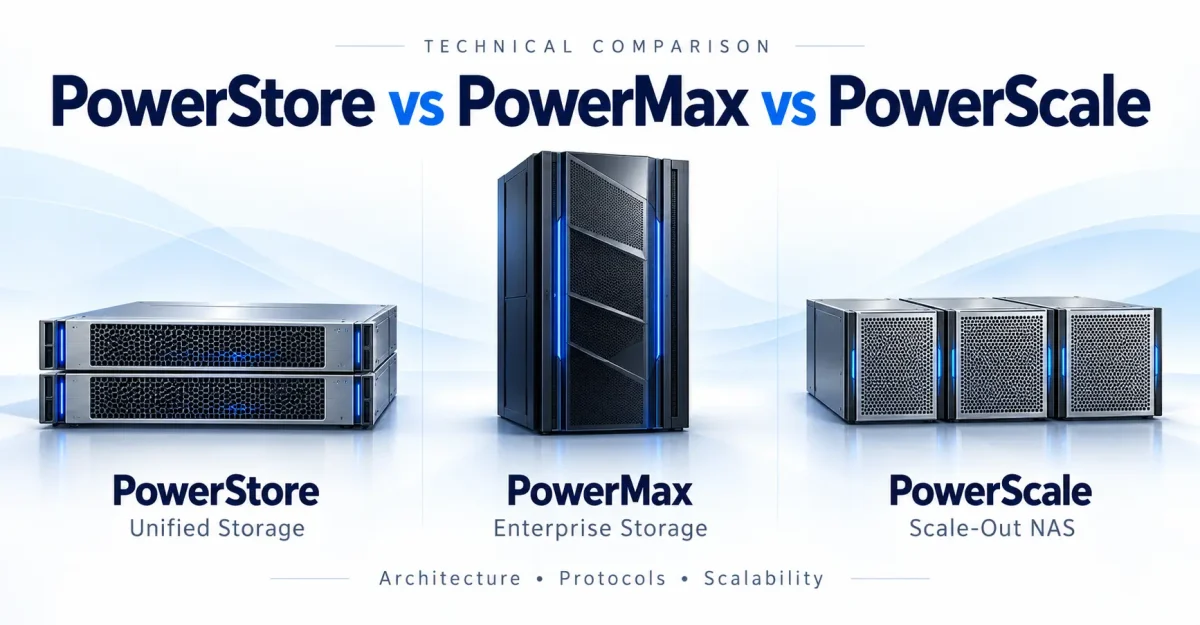
Dell PowerStore, PowerMax, and PowerScale address different storage requirements, but some of their capabilities overlap. PowerStore and PowerMax can both support block and file workloads in supported configurations, while PowerScale focuses on scale-out file storage and multiprotocol access.
The clearest distinction is their primary architectural focus:
- PowerStore: Unified block and file storage for mixed workloads and virtualized environments.
- PowerMax: Enterprise storage for mission-critical applications, advanced availability, and replication.
- PowerScale: Scale-out NAS for large file repositories and unstructured data.
For Dell certification questions, look beyond the workload name. Terms such as Metro Volume, SRDF, OneFS, and SyncIQ often reveal which platform or feature the question is testing. Understanding the broader Dell certification path also helps you identify which technologies belong to each track.
PowerStore vs PowerMax vs PowerScale: Quick Comparison
| Comparison area | Dell PowerStore | Dell PowerMax | Dell PowerScale |
|---|---|---|---|
| Architecture | Unified storage appliance with two active nodes | Multi-node, active-active enterprise storage architecture | Scale-out NAS cluster with a distributed file system |
| Operating software | PowerStoreOS | PowerMaxOS | OneFS |
| Primary storage focus | Block and file storage | Enterprise block storage, with file services in supported configurations | Distributed file storage and multiprotocol access |
| Main storage objects | Volumes, volume groups, file systems, and VMware vVols | Volumes and storage groups; file resources where supported | Files and directories in a distributed file system |
| Block connectivity | FC, iSCSI, NVMe/FC, and NVMe/TCP | FC, iSCSI, NVMe/FC, and NVMe/TCP | Not primarily a block SAN platform |
| File and object access | NFS and SMB in supported unified configurations | NFS and SMB through supported file services | NFS, SMB, S3, HDFS, and other supported protocols |
| Scalability | Add capacity or appliances within supported cluster limits | Expand capacity and system resources within model limits | Add compatible nodes to a OneFS cluster |
| Local protection | Snapshots for supported block and file resources | SnapVX snapshots and enterprise data services | SnapshotIQ and distributed OneFS data protection |
| Remote replication | Native asynchronous and synchronous replication; Metro Volume for supported block configurations | SRDF replication family | SyncIQ replication between clusters |
| Ideal workloads | Virtual machines, databases, and mixed block and file workloads | Mission-critical databases, enterprise applications, and supported mainframe workloads | Unstructured data, analytics, media, AI data pipelines, and large file repositories |
| Management | PowerStore Manager | Unisphere for PowerMax | OneFS WebUI and CLI |
| Strong exam clue | Unified storage, vVols, or Metro Volume | SRDF, FICON, or mission-critical enterprise storage | OneFS, single namespace, SmartConnect, or SyncIQ |
Note: Protocols, services, scalability limits, and hardware combinations depend on the selected model, software release, and Dell support matrix.
Detailed Architecture Comparison
PowerStore Architecture: Unified Storage With Dual-Node Appliances
PowerStore is a unified storage platform that can serve block and file workloads from the same appliance when deployed in a supported unified configuration.
It also supports VMware vSphere Virtual Volumes, or vVols, for VM-aware storage management. This makes it useful in environments where administrators need to manage storage for individual virtual machines and understand VxRail integration requirements.
Each appliance contains two nodes. Both participate in serving I/O and running storage operations. This active-active design supports availability if one node becomes unavailable, although host behavior also depends on correct multipathing and configuration.
PowerStoreOS uses a container-based microservices architecture. Several storage services run within the appliance, allowing it to support different workloads from a common platform.
PowerStore can expand from a single appliance into a multi-appliance cluster. However, that cluster should not be confused with a PowerScale OneFS cluster: PowerStore does not present its appliances as the same distributed file system and global namespace used by OneFS.
Hardware note: PowerStore Gen 2 and Gen 3, also called PowerStore Elite, differ in hardware design and density. Check the applicable model documentation when a question asks about hardware components or limits.
Exam scenario: A company needs FC storage for databases and SMB shares for departmental data from a unified array. PowerStore is a strong candidate if the required protocols and features are supported.
PowerMax Architecture: Enterprise Storage for Critical Workloads
PowerMax is designed for enterprise environments where applications require high performance, extensive availability capabilities, and advanced replication.
The PowerMax 2500 and 8500 use a multi-node active-active architecture with NVMe-based components. Their system configurations and expansion limits differ, so candidates should avoid treating every PowerMax model as identical.
PowerMax is strongly associated with:
- Mission-critical block workloads.
- Enterprise application consolidation.
- Advanced local and remote replication.
- Business continuity across sites.
- Supported mainframe connectivity.
PowerMax is often described as an enterprise block platform. However, supported configurations can also provide file services. Its defining exam theme is the combination of enterprise storage, availability, and advanced replication.
Exam scenario: A financial organization needs storage for critical databases and a replication technology to support business continuity across data centers. PowerMax and SRDF are strong clues.
PowerScale Architecture: Distributed File Storage With OneFS
PowerScale OneFS is the operating system and distributed file system behind Dell PowerScale scale-out NAS.
A PowerScale cluster presents a single file system and namespace to clients. Nodes contribute resources to the cluster, while OneFS coordinates data access, protection, and cluster operations. This architecture also supports data-intensive workloads associated with Dell AI Factory technical components.
Clients can access data through supported protocols such as NFS and SMB. OneFS also supports S3 and HDFS in appropriate configurations.
PowerScale node families include all-flash, hybrid, and archive-oriented models. Features, performance characteristics, and supported cluster configurations depend on the specific node and OneFS release.
Exam scenario: A research team needs a shared file environment that can grow by adding nodes while maintaining a common namespace. PowerScale is the clearest fit.
PowerStore vs PowerMax vs PowerScale: Protocol and Connectivity Differences
PowerStore Protocols
PowerStore supports several host connectivity options, depending on the model and configuration:
- Fibre Channel and iSCSI for block access.
- NVMe/FC and NVMe/TCP for supported NVMe-over-Fabrics configurations.
- NFS and SMB for file access in supported unified deployments.
- VMware vVols for VM-aware storage integration.
An administrator might provision block volumes to virtualization hosts while also creating file systems for network shares. In an exam question, use the surrounding workload and data-service requirements to identify the best answer.
PowerMax Protocols
PowerMax supports enterprise block connectivity through FC and iSCSI, along with supported NVMe-over-Fabrics options.
PowerMax 2500 and 8500 documentation also identifies connectivity options for environments using FICON, a protocol associated with IBM mainframes.
Supported PowerMax configurations can provide file services. Therefore, an NFS or SMB requirement alone does not automatically eliminate PowerMax from consideration.
However, a combination such as mainframe connectivity, enterprise availability, and SRDF is a stronger PowerMax clue than a generic file-sharing requirement.
PowerScale Protocols
PowerScale centers on file and multiprotocol access. Depending on the OneFS release and configuration, supported access methods include:
- NFS for Unix and Linux environments.
- SMB for Windows and other compatible clients.
- S3 for supported object access.
- HDFS for supported Hadoop-oriented workflows.
- Other supported protocols, including HTTP and FTP.
OneFS can make data accessible through multiple protocols, but administrators must still account for authentication, permissions, and access-control mapping.
Protocol Clues for Exam Questions
| Question clue | Likely direction |
|---|---|
| FC or iSCSI volumes for virtual machines, plus SMB shares | Consider PowerStore unified storage |
| FICON and enterprise mainframe connectivity | Consider PowerMax |
| A large shared namespace accessed through NFS and SMB | Consider PowerScale |
| S3 access in a scale-out OneFS environment | Consider PowerScale |
| SRDF replication between enterprise arrays | Consider PowerMax |
FC and iSCSI are available on both PowerStore and PowerMax in supported configurations. Use the complete scenario to distinguish them.
PowerStore vs PowerMax vs PowerScale: Scalability Models
How PowerStore Scales
PowerStore supports both scale-up and scale-out growth:
- Scale up: Add supported capacity within an appliance.
- Scale out: Add appliances to a PowerStore cluster, within supported limits.
A PowerStore cluster can contain up to four appliances. The supported combination of models, generations, and deployment modes depends on the PowerStoreOS release and cluster rules.
A multi-appliance cluster provides a common management context, but candidates should understand the appliance-level architecture and limits.
How PowerMax Scales
PowerMax expands according to the architecture and supported limits of the selected model. Depending on the configuration, administrators can add capacity and system resources to meet workload requirements.
The exam distinction is that PowerMax expansion is model-dependent. The PowerMax 2500 and 8500 have different configuration limits, and their growth model is not identical to adding nodes to a PowerScale OneFS cluster.
When reviewing capacity figures, check whether the value is raw, usable, or effective. Effective capacity can depend on data reduction and workload characteristics, so it should not be treated as a guaranteed physical capacity.
How PowerScale Scales
PowerScale scales by adding compatible nodes to a OneFS cluster. Depending on the node type, adding nodes can increase capacity, performance resources, or both.
OneFS presents a distributed file system, allowing users to continue accessing the cluster through its namespace rather than managing a separate file system for every node.
Different node families may be used for different requirements, subject to Dell’s compatibility and configuration rules.
Exam tip: “Add nodes while keeping a single file system and namespace” is a strong PowerScale clue. Confirm node and OneFS compatibility instead of assuming every node can be mixed in every cluster.
Data Services Comparison
Snapshots and Local Recovery
All three platforms provide snapshot capabilities, but the feature names and protected objects differ.
| Platform | Snapshot technology | Main exam association |
|---|---|---|
| PowerStore | PowerStore snapshots | Point-in-time copies of supported block or file resources |
| PowerMax | SnapVX | Point-in-time copies for supported PowerMax volumes |
| PowerScale | SnapshotIQ | Point-in-time protection for OneFS file data |
A snapshot can help restore an earlier state after an accidental change or deletion. It should not automatically be treated as a complete backup; a separate backup and recovery design may still be needed.
Exam tip: If the question names SnapshotIQ, think PowerScale and OneFS. If it names SnapVX, think PowerMax.
Remote Replication
Replication is one of the clearest ways to differentiate the platforms.
PowerStore Replication
PowerStore replication supports native asynchronous and synchronous replication for supported block and file resources.
PowerStore also offers Metro Volume for supported block configurations. It provides synchronous replication across two PowerStore clusters and supports an active-active approach for eligible host access.
Check host, protocol, software version, and configuration requirements before assuming a particular Metro Volume deployment is supported.
PowerMax Replication
SRDF, or Symmetrix Remote Data Facility, is a major PowerMax exam keyword.
The SRDF family provides replication options for different availability and recovery objectives, including synchronous, asynchronous, and metro configurations.
A question about SRDF relationships, enterprise disaster recovery, or replicated PowerMax volumes points toward PowerMax.
PowerScale Replication
SyncIQ is a policy-based technology for replicating OneFS data between PowerScale clusters. It is commonly associated with file-data replication and recovery workflows.
Remember the feature names:
- SyncIQ → PowerScale file-data replication.
- SRDF → PowerMax enterprise replication.
- Metro Volume → Supported PowerStore block configurations.
These are useful memory cues, but read the complete scenario before selecting an answer.
Data Reduction, Tiering, and Retention
PowerStore and PowerMax provide data-reduction capabilities. PowerScale includes OneFS features for managing and protecting file data.
The exact behavior and availability depend on the platform, configuration, and software release.
Several PowerScale software features are useful to remember:
- SmartPools: Helps manage data placement across supported storage pools.
- SmartQuotas: Helps control and report storage usage.
- SmartLock: Provides write-once, read-many capabilities for supported retention requirements.
- SmartConnect: Helps manage client connections to the cluster.
- SyncIQ: Replicates data between clusters.
These features solve different problems. For example, SmartConnect concerns client access and connection management, while SyncIQ concerns replication.
When Is Each Platform a Poor Fit?
Understanding mismatches can help eliminate answers in a certification scenario.
- PowerStore: If the primary requirement is a very large distributed file system with a single namespace that grows by adding NAS nodes, PowerScale is generally the stronger architectural match.
- PowerMax: If the decisive requirement is an OneFS scale-out file cluster, PowerMax is not the platform associated with that architecture.
- PowerScale: If the requirement specifically calls for FC or iSCSI block volumes and SRDF replication, PowerScale does not match those stated requirements.
A real design still depends on the full workload, compatibility, and availability requirements.
Which Platform Appears in Which Dell Certification Track?
The most useful rule is to follow the product named in the certification and its exam description. A PowerStore exam emphasizes PowerStore, while a PowerMax or PowerScale exam focuses on the relevant platform. A structured Dell certification exam preparation approach helps candidates focus on the objectives associated with their chosen technology.
Broader infrastructure exams may introduce storage concepts that help you understand all three, but candidates should not assume that every platform receives equal coverage.
| Certification area | Main platform emphasis | Topics to prepare |
|---|---|---|
| PowerStore Operate | PowerStore | Architecture, provisioning, host access, management, and data protection |
| PowerStore deployment and maintenance | PowerStore | Deployment, hardware, expansion, and procedures relevant to the specific exam |
| PowerMax Operate | PowerMax | Array management, provisioning, data services, and operational tasks |
| PowerMax Design | PowerMax | Translating workload and availability requirements into a PowerMax design |
| PowerScale Design | PowerScale | OneFS architecture, workload requirements, sizing, and solution design |
| PowerScale Deploy | PowerScale | Cluster installation and expansion, networking, SmartConnect, protocols, and protection |
| PowerScale Maintenance | PowerScale | Hardware installation, cabling, and maintenance procedures |
Certification reminder: Always check the current Dell Learning exam description for your exact exam code and version, because objectives and available exams can change. You should also verify the applicable Dell certification exam cost before registering.
Exam Preparation Examples
Scenario 1: Mixed Block and File Workloads
A business needs FC-connected application volumes and SMB shares from a supported unified array. It also wants to manage storage for virtual machines.
Best direction: PowerStore. The combination of unified block and file services and virtualization integration is the key.
Scenario 2: Enterprise Replication
A question describes mission-critical volumes, two data centers, and SRDF replication.
Best direction: PowerMax. SRDF is the decisive product-specific clue.
Scenario 3: Expanding a Shared File Environment
A team needs to add storage nodes while maintaining a single namespace for Linux and Windows clients.
Best direction: PowerScale. Look for OneFS, scale-out nodes, NFS, and SMB.
Scenario 4: Replicating a File Cluster
An administrator must configure policy-based replication between two OneFS clusters.
Best direction: PowerScale with SyncIQ.
These are original practice scenarios, not Dell exam questions. Use them to understand the reasoning, then review the objectives for your exam code and version.
Understanding the Dell certification exam format can also help you prepare for the types of questions you may encounter.
Frequently Asked Questions FAQ’s
What Is the Main Difference Between PowerStore, PowerMax, and PowerScale?
PowerStore is a unified platform for block and file workloads. PowerMax focuses on enterprise storage and mission-critical availability. PowerScale is a scale-out NAS platform built around the OneFS distributed file system.
Is PowerStore Better Than PowerMax for Every Virtualized Workload?
No. Both platforms can support virtualized workloads in supported configurations. The appropriate choice depends on performance, availability, replication, connectivity, and other requirements.
Is PowerScale Only for SMB File Shares?
No. PowerScale supports multiple protocols, including NFS and SMB. It also supports S3 and HDFS in appropriate OneFS configurations.
Can PowerMax Provide File Storage?
Yes. Supported PowerMax configurations offer file services. Distinguish this capability from PowerScale’s OneFS-based scale-out file architecture.
What Is the Difference Between SRDF and SyncIQ?
SRDF is the PowerMax replication family for enterprise storage. SyncIQ replicates OneFS data between PowerScale clusters. Their architecture and use cases differ.
Is PowerStore Metro Volume the Same as SRDF/Metro?
No. Both relate to metro availability, but they are separate technologies for different platforms. Metro Volume is a PowerStore feature for supported block configurations; SRDF/Metro belongs to the PowerMax SRDF family.
Which Platform Uses OneFS?
PowerScale uses OneFS. It provides the distributed file system and many of the cluster’s data-management and protection services.
Which Platform Is Most Associated With Mainframe Workloads?
PowerMax is the strongest association among these three platforms when a scenario mentions supported mainframe connectivity, such as FICON, along with enterprise storage requirements.
Conclusion: How to Choose the Right Answer on a Dell Storage Exam
Start by identifying how the application accesses data, then look for the architecture and data-service clues.
- Consider PowerStore when the scenario centers on unified block and file storage, virtualized workloads, or Metro Volume.
- Consider PowerMax when the question emphasizes mission-critical enterprise storage, SRDF, or supported mainframe connectivity.
- Consider PowerScale when the requirements point to OneFS, a distributed file system, a single namespace, and scale-out file workloads.
Before your exam, review the current Dell Learning objectives and practice mapping each scenario to its workload, protocol, architecture, and protection requirement. This approach helps you understand why a platform fits instead of relying on one memorized keyword. Applying practical Dell certification exam tips can further strengthen your preparation.
